✦  Appointment Reminders

Appointment remindersthat confirm, move, or fill the slot

Automatic text and email reminders tied to the live EHR appointment — not a second list your staff has to keep honest.

Get started

Automatic confirmations

Patients confirm with one tap — the appointment status updates instantly, so your morning huddle sees a real schedule.

Smart timing

Reminders at booking, the day before, and the morning of — tuned to your practice and your patients.

Fewer no-shows

Patients who cannot make it are prompted to reschedule on the spot, so the slot gets refilled instead of wasted.

Why EHR reminders are not enough

Most EHRs can fire a one-way “see you tomorrow.” Patients who cannot come do not get a way to move. Patients who reply “running late” go nowhere. Add a third-party tool on top and people get two texts and start ignoring both.

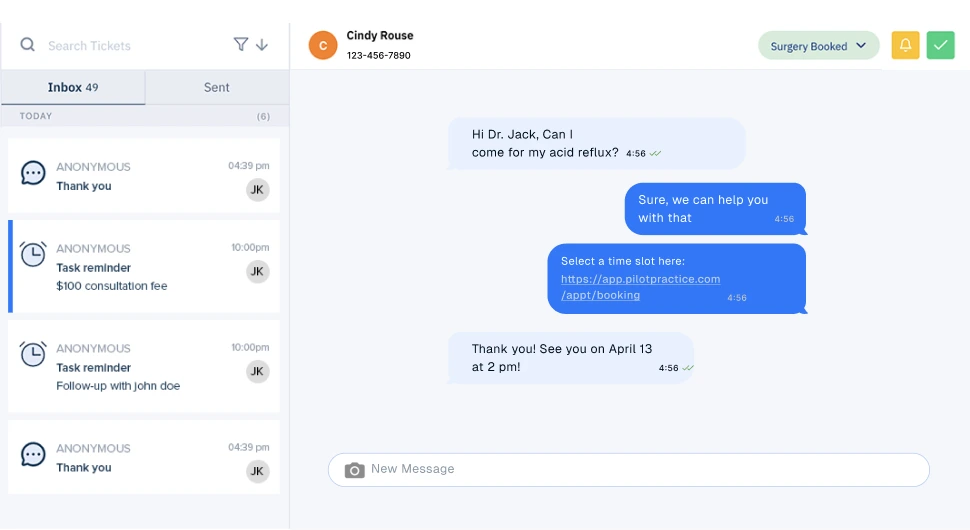
KloudMD reminders follow the appointment. If it moves in the EHR, the sequence moves. Replies land in the team inbox, not a dead-end short code. Patients who need a new time see real openings.

KloudMD inbox with reminder and follow-up messages

The sequence you tune

At booking: confirmation plus any intake forms. Day before: confirm or reschedule. Morning of: last chance to free the slot. After a no-show: a rebook path, not a scolding. Quiet hours are respected. Text, email, or both.

How it works

1

Appointment is booked

Front desk, website, or the AI receptionist — the reminder sequence starts automatically.

2

Patient gets a text

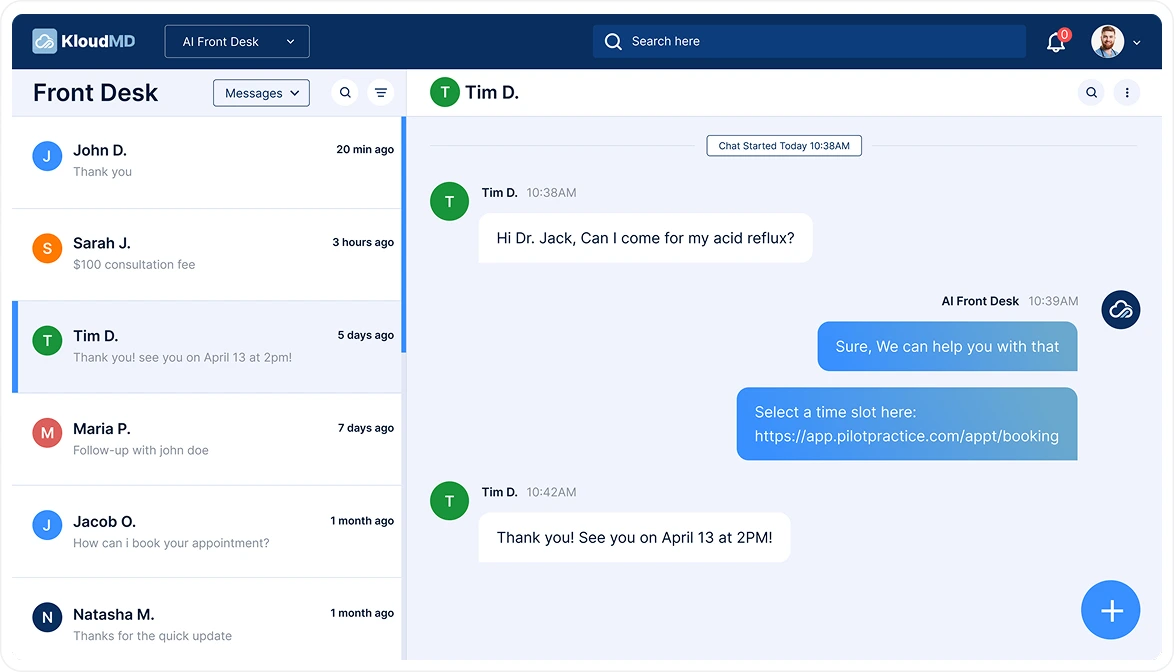
Confirm, reschedule, or ask a question — replies land in your team inbox, not a dead end.

3

Your schedule updates

Confirmations, cancellations, and reschedules sync back so the calendar always tells the truth.

KloudMD front desk confirming an appointment over text

What you get

  • Text and email, sent from your practice number and name
  • Two-way — a reply becomes a conversation, not a bounce
  • EMR-aware: reminders follow the appointment if it moves
  • Intake forms ride along with the confirmation
  • Quiet hours respected — no 6am texts
  • Coordinated with EMR reminders so patients never get doubles

Common questions

Will patients get duplicate reminders if my EMR already sends them?

No. We configure around what the EHR already does. Most practices either switch fully to KloudMD or keep the EHR blast and use KloudMD for two-way confirm and reschedule.

Can patients reschedule from the reminder?

Yes. The path shows real open slots from the same schedule as online booking.

What if they reply with a question?

It opens in the shared inbox. If AI texting is on, routine questions get answered.

Do reminders work with Dentrix, Athena, or ModMed?

Yes. They are attached to the synced appointment, not to a spreadsheet.

See it on your own practice

15 minutes, your real workflows, no pressure.

Get started