✦  Unified Patient Inbox

One inbox for every channel

Texts, calls, eFax, Gmail, Outlook, website inquiries and social DMs in one shared team inbox.

Get started
AI front desk

AI works the inbox for you

Every new text, email, DM and website inquiry is read by the AI the moment it arrives. It answers the routine ones, books appointments straight onto your schedule, and passes the rest to the right person on your team.

  • Answers hours, directions, pricing and insurance questions
  • Books real appointments, day or night
  • Hands billing, clinical and anything unusual to your staff
Texting

Text from the number on your door

Patients will not download a portal app to ask if you take Aetna. If the reply comes from a staff member’s personal phone, you have a HIPAA problem and a conversation that leaves when they do.

  • Text-enable the office number. Voice keeps working.
  • Photos and attachments both ways
  • Carrier registration (A2P) included, so messages deliver
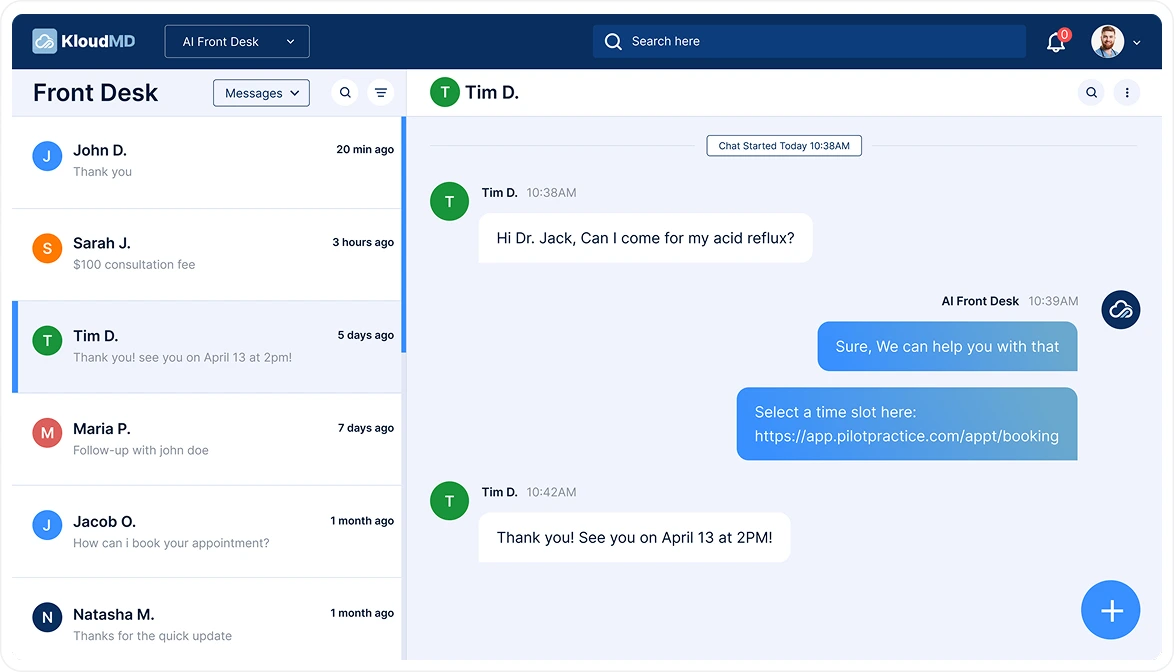
KloudMD team inbox with a patient text conversation
Phone calls

Calls land on the same thread

Every call to the practice line is logged on the patient’s profile, next to their texts and emails. Miss one and the patient gets a text back right away, so the conversation keeps going instead of going to the next practice on Google.

  • Inbound and outbound calls on the patient timeline
  • Missed-call text back on every line
  • Voice AI can answer after hours and book
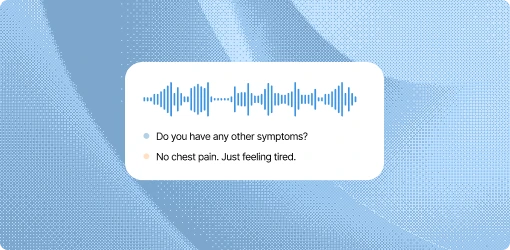
A patient phone call being transcribed in KloudMD
eFax

eFax, filed to the right chart

Referrals, records and lab results still arrive by fax. KloudMD gives you a fax number in the same inbox: incoming faxes arrive as PDFs, get matched to the right patient, and outgoing faxes go from the dashboard. No machine, no paper tray, no faxes sitting on a printer.

  • Receive and send faxes from the dashboard
  • Incoming faxes matched to the patient record
  • Searchable with the rest of the patient’s files
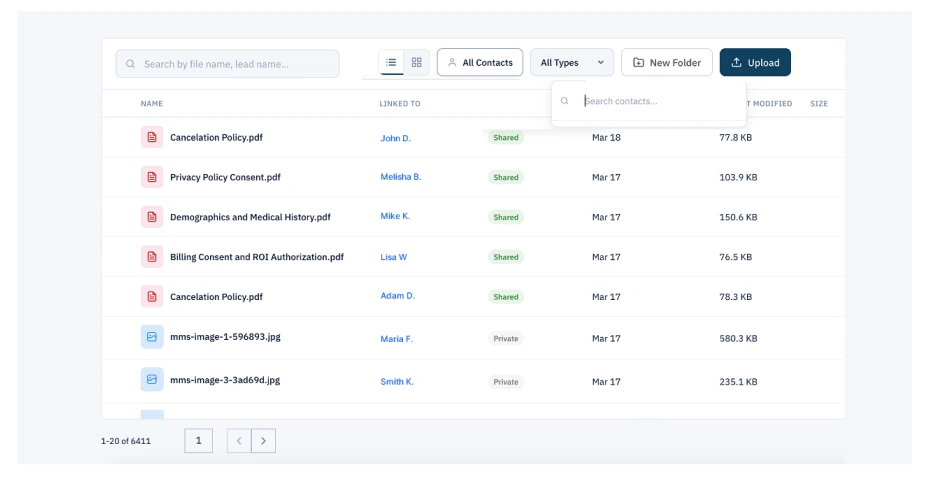
Patient files in KloudMD, each linked to a patient
Gmail & Outlook

Gmail or Outlook, connected

Connect the practice’s Google Workspace or Microsoft 365 mailbox. Patient emails show up in the team inbox on the patient’s thread, and replies go out from your own address, so patients see the practice email they know.

  • Works with Gmail and Outlook
  • Shared, so the whole front desk can answer
  • Every email saved on the patient profile
Website & social

Website inquiries, Messenger and Instagram

Inquiries from your website, Facebook page and Instagram DMs land in the same inbox. The AI can answer them and book a real appointment, so a late-night DM turns into a visit on the schedule.

  • Website inquiries land here automatically
  • Facebook Messenger and Instagram DMs in one place
  • AI texting & chat can reply and book on every channel
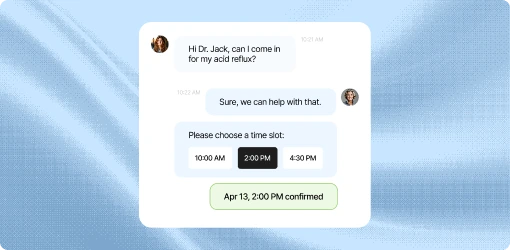
A patient booking an appointment from a website inquiry

What you get

  • One shared inbox for every channel
  • Text from your existing office number
  • Calls logged on the patient profile
  • eFax in and out, no machine
  • Gmail and Outlook connected
  • Website inquiries, Messenger and Instagram DMs
  • AI that answers and books on any channel
  • HIPAA-conscious, with a BAA

Common questions

Which channels come into the inbox?

Texts to your office number, phone calls, eFax, Gmail and Outlook email, website inquiries, Facebook Messenger and Instagram DMs. Each patient gets one thread across all of them.

Can patients text our existing office number?

Yes. We text-enable the number they already know. Voice keeps working.

Do we keep our own email address?

Yes. You connect your Gmail (Google Workspace) or Outlook (Microsoft 365) mailbox, and replies go out from that address.

How does eFax work?

You get a fax number inside KloudMD. Incoming faxes arrive as PDFs and are matched to the patient; you can send faxes from the dashboard too.

Who replies, AI or my staff?

Both. You choose. The AI can take routine questions and booking. Everything else lands in the team inbox with the thread attached.

Is this HIPAA-compliant?

We sign a BAA, control who can see the inbox, and keep PHI in outbound texts to the minimum the workflow needs. This is not a consumer iMessage.

Will our texts get filtered?

The practice is registered for A2P. Unregistered 10DLC is why so many reminder tools silently fail.

See it on your own practice

15 minutes, your real workflows, no pressure.

Get started