✦  Medical Call Center

Your call center,
deployed in minutes

Phone menus, queues, transfers, recording and AI for overflow, on your own numbers.

Get started
Phone menus

Route every call to the right desk

Build the phone menu your practice needs: press 1 for scheduling, 2 for billing, a nurse line, a menu per location, dial by extension or by name. Change it yourself in the dashboard whenever the team changes.

  • Keypress menus with submenus and your own recorded greeting
  • Dial by extension or by staff name
  • A different route after hours
Queues & transfers

No caller sent to voicemail on a busy morning

When every line is busy, callers wait in a queue with your hold music instead of hearing a voicemail beep. Staff can put calls on hold and transfer them, and hear who is calling before they pick up.

  • Call queue with your own hold music
  • Hold and transfer from the app or desk phone
  • A short whisper tells staff what the call is about
AI backup

Overflow and after-hours, answered

If nobody picks up, or the office is closed, the AI voice agent answers instead. It books appointments, answers common questions and hands urgent callers to a live person.

  • Takes missed, overflow and after-hours calls
  • Books real appointments
  • Missed-call text back if a caller hangs up
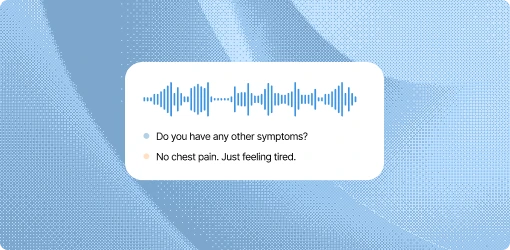
The AI voice agent answering a patient call
Recording & transcripts

Every call recorded, transcribed and summarized

Both sides of each call are recorded, transcribed and summarized by AI, then saved on the patient profile. Managers can review any call without asking around.

  • Call recording on every line
  • Transcripts and AI summaries
  • Calls labeled automatically
Answer anywhere

Desk phones, browser or cell phone

Agents answer on Yealink desk phones, in the browser dialer or in the mobile app, all on your practice numbers. They set themselves available or offline, so calls only ring people who can take them.

  • Desk phones set up for you
  • Browser dialer and mobile app
  • Available and offline status for each agent

What you get

  • Phone menus, extensions and dial by name
  • A route for each location and after hours
  • Call queues with your own hold music
  • Hold, transfer and whisper
  • AI voice agent for overflow and after hours
  • Recording, transcripts and AI summaries
  • Voicemail with your own greeting
  • Desk phones, browser dialer and mobile app
  • Call reports and tracking numbers by marketing source
  • HIPAA-conscious, with a BAA

Common questions

What kind of call center can we set up?

Any setup your practice needs: a central scheduling line for several offices, a billing desk, a nurse line, or a single front desk with overflow. Phone menus, queues and routing are set in the dashboard.

Can we keep our phone numbers?

Yes. We move your existing numbers over, or you can buy new local numbers in the dashboard.

What happens when every agent is busy?

Callers wait in a queue with your hold music, or the AI voice agent answers and books, depending on how you set the line up.

Do agents need desk phones?

No. Agents can answer in the browser or the mobile app. We also set up Yealink desk phones if you want them.

Are calls recorded?

Yes. Both sides of each call are recorded, transcribed and summarized, and saved on the patient profile.

How do we see how the phones are doing?

Call reports show volume, missed calls and recordings, and tracking numbers show which marketing source each call came from.

Is it HIPAA-compliant?

We sign a BAA and control who can see recordings, transcripts and patient records.

See it on your own practice

15 minutes, your real phone setup, no pressure.

Get started